Import
Import directly from your design software, no double entry.
Currently supported formats:
- .BXF2 - Blum e-Services
- .CSV
(Especially if you're still using Excel…)
Panelgator is a Windows desktop app designed for joiners, cabinetmakers and kitchen fitters.
It instantly optimizes your panel cut lists and generates production-ready documents.
Easy to get started, it runs 100% offline on your computer. No online services.
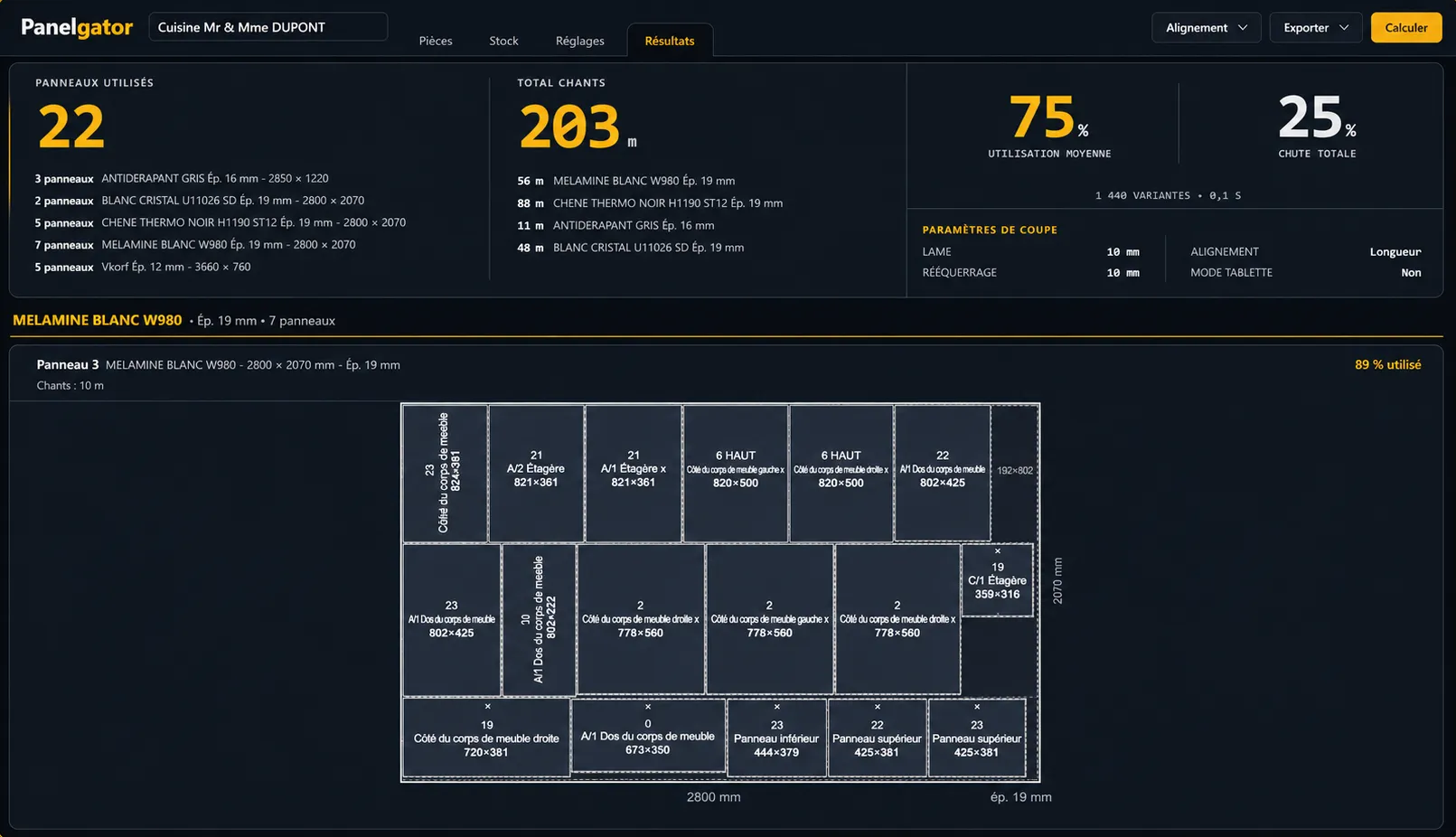
From your design software, or by hand in a few minutes.
Grain direction, kerf, available stock.
Cut list, cutting plans and labels ready for the workshop.
Import directly from your design software, no double entry.
Currently supported formats:
Specify which edges to band on each part.
Manage grain direction across stock and parts.
Choose cut direction based on your preferences and equipment:
Combine multiple materials in a single project.
Export your cut lists, cutting plans and labels as:
Lifetime license One-time payment 1 seat
// EARLY ACCESS OFFER
Updates included for 1 year. After that, Panelgator keeps working without limitation. Optional renewal to access future versions.
I looked for a solution to make my work easier, without finding anything satisfying. Most existing software is built for industry — complex and overpriced.
So I built the tool I needed, my way:

Panelgator is field-tested and improves continuously thanks to your feedback.
Write me at support@panelgator.com.
Vincent
Joiner · Creator of Panelgator
Panelgator runs on Windows 10 and 11.
A macOS version is coming soon.
Yes, it's temporary. Panelgator is a recent piece of software that needs to accumulate enough downloads to gain Windows' trust.
To continue installing: click on "More info", then on "Run anyway".
The trial lets you use Panelgator with no limit: all features are available to test on real projects.
After 30 days, a lifetime license is available for €59 to keep using it.
Panelgator works 100% offline.
Your projects stay on your computer. Nothing is sent to an external server.
Yes. All updates are included for 1 year at no extra cost.
Beyond that, Panelgator keeps working without limitation. An optional renewal will be available to access future versions.
Head over to the Buy a license page.
After your purchase, you'll receive your key by email within minutes, along with instructions to activate it in Panelgator.
Each workstation needs its own license key.
You can transfer your license from one computer to another if you change hardware.
Currently, you can import your parts from:
Native integrations with SketchUp and Hettich Plan are in development.
Yes. Panelgator works with any material that can be cut into panels.
Melamine, plywood, MDF, aluminum, glass, laminate.
If it cuts as a panel, it calculates in Panelgator.
Support is provided directly by email at support@panelgator.com.
Response guaranteed within 24h.